When a company hires its fifth or tenth employee, onboarding can shift from a personal conversation to a process involving managers, payroll, devices and dozens of software accounts. The goal is not to automate every welcome message; it is to prevent important tasks from being missed.

Map the first two weeks
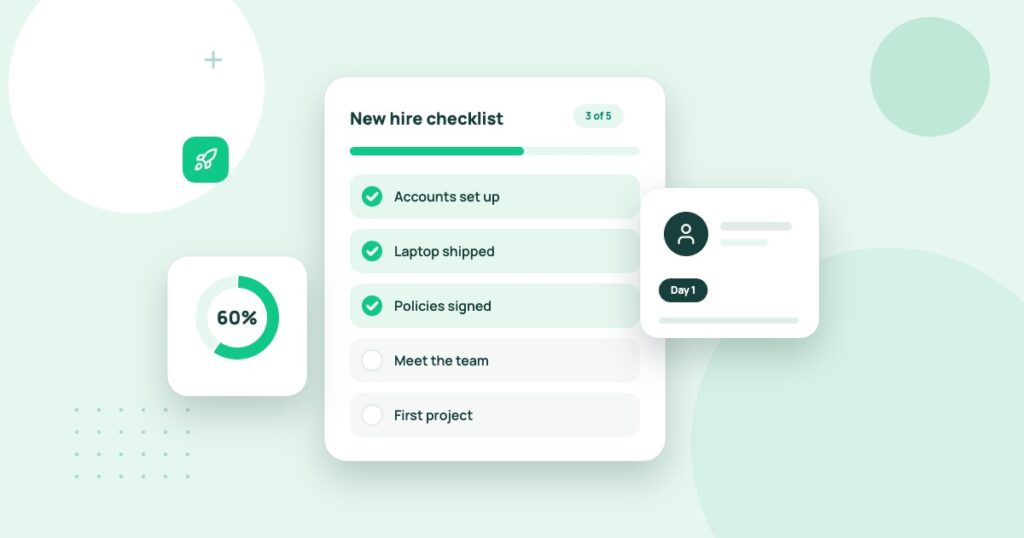
Create a timeline from offer acceptance through the employee’s first meaningful deliverable. Assign owners for paperwork, equipment, account setup, security training, manager introductions and role-specific guidance. Keep sensitive HR information separate from routine project tasks.
Decide whether you need a specialist platform
A very small company may manage onboarding with a secure checklist and its existing collaboration tools. Dedicated software becomes more useful when many people join each month, compliance documentation must be tracked or approval handoffs routinely fail. Software cannot compensate for unclear responsibilities.
| Task | Minimum reliable result |
|---|---|
| Documents | Required forms reach only authorized staff and are retained appropriately. |
| Accounts | Access matches the employee’s role rather than a broad default. |
| Equipment | Assets are recorded and return responsibilities are clear. |
| Training | Essential information is available and completion is tracked. |
| Offboarding | Access can be promptly removed while business records remain intact. |
Run a fictional employee test
Create a dummy hire in a trial environment and walk through every task. Test what happens when the start date changes, a manager is unavailable and one required form remains incomplete. Verify permissions by signing in as an ordinary team member, not only the administrator.
Evaluate the integrations carefully
Many onboarding tools connect to HR, identity, payroll and project systems. Every integration increases convenience but can also expand access to personal data. Confirm which fields synchronize, who may trigger access changes and how errors are reported. Ask for deletion and export procedures.
Price the real hiring pattern
Compare fees per active employee, minimum contract size, onboarding events, document storage and administrative features. A business that hires three people a year should not automatically choose a platform optimized for constant high-volume recruitment.
Make the process human
The first day should still include a clear welcome, a named person for questions and a small achievable task. Automation is valuable when it removes coordination burden, not when it replaces relationships.
The first-day access problem
A new remote employee arrives on Monday. Their laptop is ready, but the project-management account is not. The manager adds them to a shared administrator login to save time, exposing client and billing data the employee does not need. An onboarding checklist should catch that mistake before it happens: identify required applications, allocate role-appropriate permissions and confirm account recovery options.
A ten-day onboarding sequence
The exact timing varies by job, but a structured plan can make the process visible. Before the start date, assign equipment and document requirements. On day one, establish secure account access and introduce the employee to the team. In days two through five, complete role-specific training and deliver one small practical assignment. In the second week, check that the employee knows where to find information and whom to contact if access fails.
| Stage | What a manager confirms |
|---|---|
| Before arrival | Equipment, contracts and account requests approved |
| Day one | Correct system access and team introductions |
| First week | Training and small deliverable completed |
| Second week | Feedback collected and outstanding blockers resolved |
| Departure | Access revoked, equipment returned and work records preserved |
Test the failed-handoff scenario
Set up a fictional hire with a start date that changes by four days. Does the onboarding system update account activation and training deadlines? If an administrator goes on leave, can another authorized person finish the tasks without opening confidential HR information to everyone? These situations expose weakness in workflow design more reliably than a polished welcome-email template.
Security should be part of every checklist
Give each employee an individual identity, enable supported authentication controls and avoid handing out shared passwords. Limit customer, payroll and payment data to employees whose roles require it. When someone leaves, use a coordinated offboarding process rather than assuming a former employee will stop using previously granted access.
Onboarding is a sequence of permissions and decisions
A new employee’s first day can fail even when the welcome email looks polished. The laptop may not be ready, the person may not know their manager or the necessary accounts may be inaccessible. Onboarding software should coordinate these dependencies rather than simply collect completed checkboxes.
Map the first ten working days for one realistic role. Separate actions owned by HR, payroll, IT, the hiring manager and the employee. Include what happens when a laptop is delayed or a form is incomplete. A good system makes exceptions visible and assigns someone the responsibility to resolve them.
| Stage | Required outcome |
|---|---|
| Before start | Offer, forms, equipment and account ownership confirmed |
| First day | Safe access and a clear contact for help |
| First week | Role expectations, training and first meaningful task |
| First month | Manager feedback and resolved access problems |
Test the awkward handoff
Create a fictional employee with a start date that changes at short notice. Check whether HR updates flow to the people preparing access, whether duplicate user accounts are avoided and whether the hiring manager receives a clear alert. Then simulate departure before the start date and confirm that unneeded access is removed. These cases reveal the quality of the workflow better than a perfect demonstration.
Measure time to first productive task, missing accounts, forms requiring correction and support requests. Do not reward departments for checking boxes that never produced usable access. Use feedback from new staff to identify the steps that remain confusing.
Security should match the employee lifecycle
Onboarding creates access that must later be modified or revoked. Require approval for privileged accounts and protect personal documents such as identity records and banking information. Maintain different permissions for HR personnel, supervisors and IT support. A new hire’s sensitive files should not appear in an ordinary shared project folder.
Choose specialized onboarding software when hiring volume, compliance or coordination genuinely exceeds what the current HR and task systems can handle. A small team onboarding two employees a year may be better served by a carefully owned checklist and secure forms. The buying decision should be driven by failed handoffs, not by the number of hiring templates offered.
NIST’s authentication guidance is a useful reference when deciding how new employees receive and recover access. Onboarding should create individual identities with appropriate authenticators rather than encouraging shared passwords.
Measure readiness, not completed checkboxes
Ask the employee to perform a representative task, find a reference document and submit a question through the normal support channel. Completion of a training-video checklist does not prove the person can do the job. Use the first two weeks to identify confusion and improve the process. For related access controls see password managers for teams and shared-file permissions.
Use our team password manager guide to plan account access and remote project management guide for ownership conventions. Review local employment and privacy requirements with appropriate professionals before collecting sensitive employee information.
The FTC’s small-business cybersecurity guidance recommends limiting staff and vendor access, training employees and maintaining recovery plans. Use these principles when designing onboarding and account provisioning; software does not remove the need for a responsible access owner.