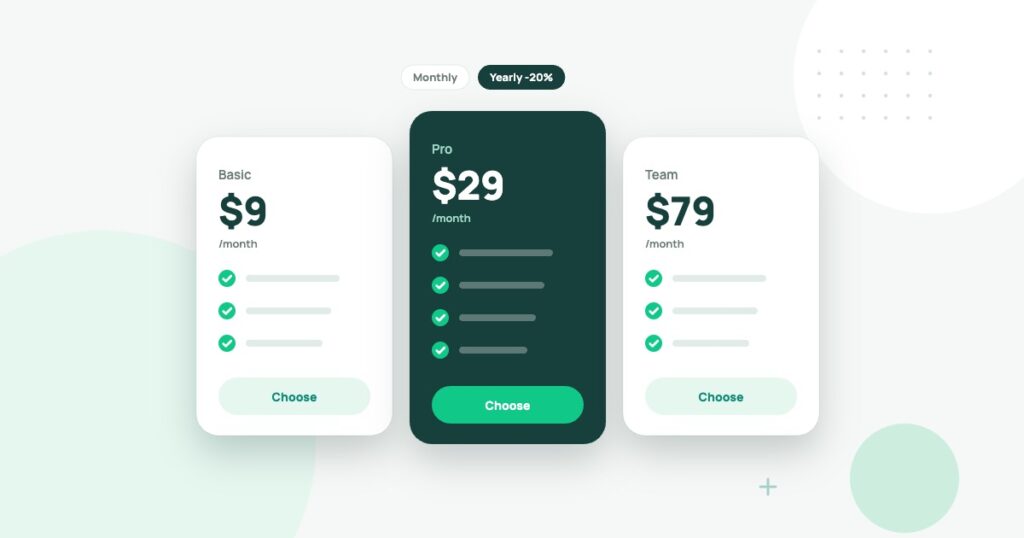
A software plan that costs $12 a month looks harmless. Then your team grows to eight people, the best feature requires a higher tier and the annual renewal arrives. Suddenly the tool costs more than anybody expected.
This doesn’t mean the vendor is dishonest. Subscription pricing often reflects many things at once: users, features, usage, support and contract terms. The mistake is comparing two products by the first number shown on their pricing pages.
A fair comparison starts with what your team needs to accomplish and how many people actually need paid access.
Start with one specific workflow
Suppose you’re looking for a project management platform. Your team needs to record tasks, assign owners, track deadlines and keep project notes together. Advanced charts and a new AI assistant might be appealing, but they are not essential on day one.
Write down five requirements and use them as a filter. A tool that fails a critical requirement isn’t cheaper just because its price is lower.
Compare like with like
Pricing pages may display annual-billing prices as a smaller monthly equivalent. Another provider may show the price you actually pay each month. For a valid comparison, convert both offers to the same billing period.
| Example plan | Advertised rate | Annual cost for 6 seats |
|---|---|---|
| Plan A | $12 per user per month, annual billing | $864 |
| Plan B | $16 per user per month, monthly billing | $1,152 |
| Plan C | $89 per month for the team | $1,068 |
These are fictional plans used to demonstrate the calculation, not actual software offers. Their prices are not recommendations. A plan with a team-wide flat fee may become less expensive as more people join, while a per-seat plan can be economical for a solo user.
Don’t count everybody as a paid seat
Some tools distinguish administrators, editors, viewers and external guests. Your sales team may need paid seats while clients only need occasional guest access. Other tools bill for every active member. Check the provider’s actual membership rules before making assumptions.
If a product’s pricing is per seat, model the likely team size six and twelve months from now. A tool that’s good for three people may be expensive at fifteen.
Check what happens when you cross a limit
Usage-based fees can arise from messages, storage, API calls, automation runs, database records or monthly contacts. Ask whether the product stops working at the limit, charges overage automatically or requires an upgrade.
For email marketing, it may be the number of subscribers or messages sent. For a hosting service, it may be storage, traffic or resources. For an AI service, usage limits may depend on the model and feature.
Calculate the full first-year cost
A useful formula is:
First-year total = subscription + required add-ons + implementation + migration + training + expected usage fees.
For example, an $80 monthly subscription costs $960 over twelve months. If setup requires $400 in outside help and a connected service costs another $15 per month, the first-year total becomes $1,540. That is the number to compare, not $80.
If an annual plan is paid upfront, also consider cash flow. A cheaper yearly plan can be less attractive if your business might stop using the product after two months and cannot get a refund.
Compare three years, not just one
Long-term spending matters because a successful system becomes difficult to replace. Create three scenarios: current team, expected growth and a high-growth case. Include known renewal increases or downgrade restrictions when documented. If future prices are unknown, state the assumption rather than presenting a guess as fact.
For a simple test, imagine a tool at $10 per seat per month for five users. That’s $600 a year. If the team grows to ten and the price stays the same, the subscription alone reaches $1,200 per year. In contrast, a fixed $90 monthly plan costs $1,080 regardless of whether five or ten people use it, provided all necessary features and usage are included.
The hidden cost of switching
Before choosing a platform, ask how data can be exported, how long it takes to migrate and what happens to automations and links. A tool may look inexpensive today but make the next move costly because your entire workflow depends on a particular structure.
Have someone attempt a small export during the trial. A promise of data portability isn’t the same as a complete and usable export.
Include privacy and support in the evaluation
Not every business should choose software by feature count. If the tool contains customer records, staff data or sensitive contracts, review how access is managed and what security documentation is available. Check support hours and whether the provider offers useful human help at your plan level.
A practical five-column comparison
| Criterion | Tool A | Tool B |
|---|---|---|
| Meets all must-have tasks? | Verify in trial | Verify in trial |
| First-year total | Calculate | Calculate |
| Cost after team growth | Estimate scenario | Estimate scenario |
| Data export and cancellation | Test and document | Test and document |
| Team experience | Ask actual users | Ask actual users |
The cheapest monthly plan may be the most expensive workflow
A software subscription should be evaluated by the work it must complete, the people who need access and the cost of limits. A lower advertised price can hide paid automation, guest restrictions, support upgrades or migration work. Create a complete first-year and renewal-year estimate, then test whether the required features actually work on the proposed tier.
For a fictional five-person team, a $12 monthly seat costs $720 per year. If two of those people only need to approve occasional work and the provider offers a lower-cost legitimate role, the bill may fall. If that role requires a full seat, it will not. These figures illustrate the method, not any live vendor plan.
Use a decision worksheet with a failure scenario
| Dimension | What to record |
|---|---|
| Licenses | Roles, required seats and renewal terms |
| Usage | Operations, storage, projects or other limits |
| Training | Staff hours to reach independent use |
| Integration | Additional subscriptions and failure handling |
| Exit | Data export and replacement cost |
Test one normal workflow and one difficult exception. A billing tool should handle a refund; a project tool should handle reassignment; a CRM should handle duplicate leads. The savings from reliable exception handling may outweigh a small difference in monthly fees.
Repeat the estimate at a realistic team size one year from now. The correct purchase is not necessarily the lowest subscription today; it is the service whose total cost and operational risk remain justified as the business grows.
Annual commitments are not always the cheapest responsible choice
A yearly discount reduces the displayed subscription price but increases the cost of switching if the product turns out to be unsuitable. For a new team with an unproven workflow, a monthly trial may provide valuable flexibility. Calculate the total savings from an annual contract and compare them with the realistic cost of changing direction after a few months. A lower invoice is not automatically a better commercial decision.
Check cancellation, refund and renewal terms before purchasing. Some products automatically add new paid users when invited, and others require an account administrator to remove seats before the next billing date. Record those conditions alongside feature limits. A procurement spreadsheet is useful only if it matches the contract.
Illustrative decision using time cost
Suppose Tool A costs $18 per user monthly and Tool B costs $12. With five paid employees, the annual difference is $360. If Tool B adds twenty minutes of avoidable work for each employee every week, that is more than eighty-six staff hours annually. At a hypothetical $20 hourly value, the extra work costs more than $1,700. The figures are an example of total-cost reasoning, not a vendor benchmark.
| Question | What the buyer should document |
|---|---|
| Seat model | Editors, viewers, guests and required paid roles |
| Usage model | Storage, transactions, automation and overage rules |
| Exit | Export quality, notice periods and contract terms |
| Security | Permissions and recovery under the relevant tier |
| Support | Actual help available when production work fails |
A practical purchasing rule
Reject tools that cannot complete the core workflow or meet nonnegotiable security requirements. Among those that qualify, compare staff adoption and total ownership cost with the same trial. Avoid assigning arbitrary scores to features nobody plans to use. A simpler product with dependable exports and predictable renewal terms may be a better long-term investment than one offering a dramatic introductory discount.
Keep the final comparison assumptions beside the contract. When staffing or usage changes, revisit the decision rather than assuming the introductory plan remains economical.
Stripe Billing’s published options illustrate the difference between percentage-based and contracted volume pricing. Such models show why a software buyer should calculate expected usage and renewal conditions rather than compare two advertised starting numbers.
How to make the decision
Start with one real workflow, compare the full cost and test the hardest part of the job during a trial. If the product saves time and still fits your budget in the growth scenario, it may be a sensible choice even when its list price is higher.
That is the difference between buying a subscription and choosing a tool that will serve your business.
For related advice, see our business software decision framework and how to evaluate AI tools for practical work. Prices and features should always be confirmed on the provider’s official site before purchasing.
The FTC’s small-business cybersecurity resource recommends assessing security risks from suppliers and third parties. Include vendor access, data handling and the ability to recover or export records in a software’s total ownership cost, not just its monthly bill.