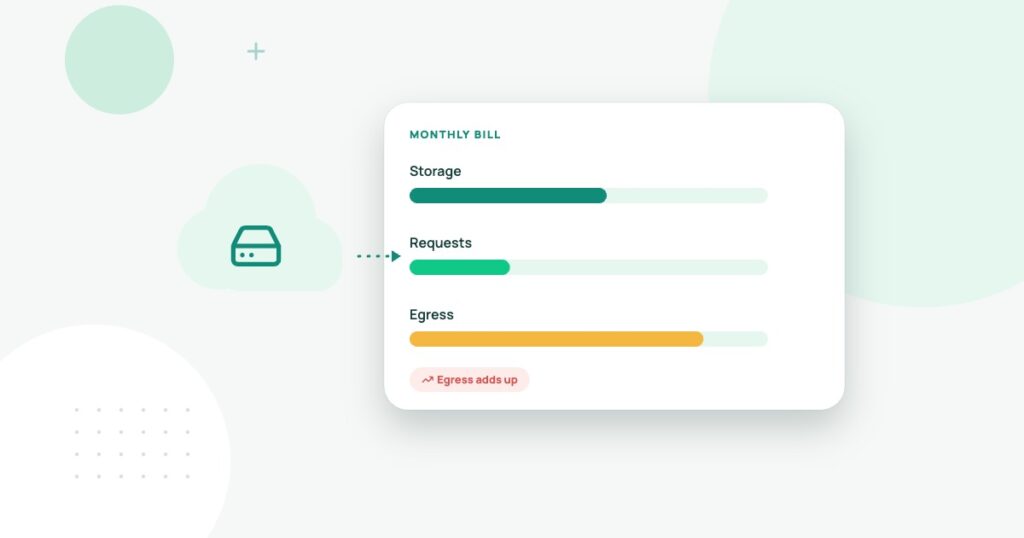
“One cent per gigabyte” is not enough information to choose cloud object storage. The cost of keeping a file can be very different from the cost of serving it repeatedly, retrieving it from an archival tier or making millions of API requests. A sensible estimate models how the application uses the data.
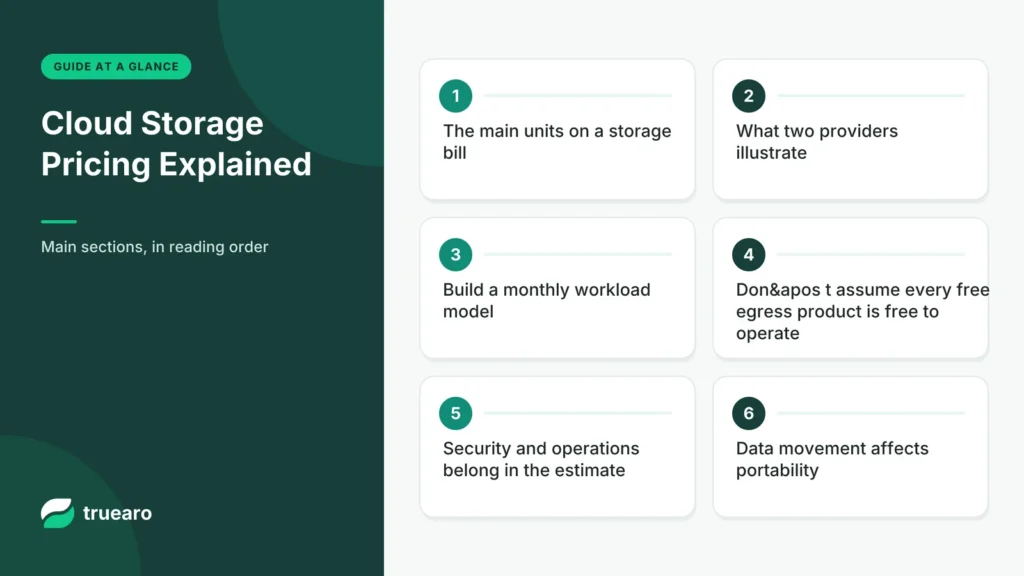
The main units on a storage bill
Storage is usually measured over time, commonly in GB-months. Requests are operations such as writing, reading, listing or deleting objects. Data transfer out to the internet is often called egress. Depending on the storage tier, retrieval fees can apply even when the stored price is low. Replication and lifecycle transitions may add further charges.
For instance, 100 GB of files held continuously for a month represents roughly 100 GB-months before provider-specific rounding and measurement rules. But if customers download those files repeatedly, transfer and request activity may dominate. A backup archive rarely downloaded has a different profile from a public asset library.
What two providers illustrate
The Amazon S3 pricing documentation describes storage-class charges, requests, retrieval and data-transfer components, with certain transfer allowances and exceptions. Cloudflare’s R2 documentation states that R2 does not charge egress bandwidth, while storage and request charges remain and infrequent-access retrieval has its own rules. These statements describe documented pricing models, not a universal outcome for every workload.
Build a monthly workload model
| Variable | Illustrative monthly amount |
|---|---|
| Average storage | 250 GB-month. |
| New file writes | 20,000 operations. |
| Read requests | 800,000 operations. |
| Public downloads | 1.5 TB of transfer. |
| Replicated copies | One additional region, if required. |
These are example usage figures, not observed site traffic. Enter each amount into the provider’s pricing calculator and add your region, storage class, free allowances and rounding conventions. Then run a second scenario with twice the downloads. This sensitivity test often reveals the real billing risk.
Don’t assume every “free egress” product is free to operate
Object creation, listing and retrieval operations can still cost money; so can processing, compute, CDN services or application requests around the storage system. Also review per-object minimum retention times and retrieval latency for archival classes. An inexpensive archive can be unsuitable when customers expect instant downloads.
Security and operations belong in the estimate
Plan who can read and write buckets, whether public URLs are appropriate, how access keys are rotated and how accidental deletion is recovered. Evaluate versioning, lifecycle policies, replication and monitoring. Backup copies need recovery tests. Storing customer exports in a public bucket to save configuration work is not an acceptable trade.
Data movement affects portability
Moving hundreds of gigabytes to a new provider can consume bandwidth, staff time and service capacity. Test a small migration first and verify object metadata and application links. Ask whether the provider offers practical tools to export an inventory of files, their sizes and checksums.
A price per gigabyte is not a complete cost
Object storage is often advertised using a storage price such as dollars per gigabyte-month. But a website or software product may also pay for operations, retrieval, data movement, replication and the computing environment that processes the objects. A vendor comparison that uses only stored capacity can underestimate the real bill, especially when many small files are requested repeatedly.
Build a workload before comparing vendors. Describe average stored terabytes, number of uploads, number of file reads, monthly downloads, lifecycle policy, regions and recovery requirements. A static archive with infrequent reads behaves differently from a public image service or a data processing pipeline that repeatedly downloads large objects.
A transparent monthly cost example
Suppose a fictional storage service charges $0.02 per GB-month for storage, $0.005 per 1,000 writes and $0.0004 per 1,000 reads, plus $0.08 per GB of outbound transfer. A workload with 1,000 GB stored, 200,000 writes, two million reads and 300 GB outbound would cost $20 storage, $1 writes, $0.80 reads and $24 transfer: $45.80 monthly before taxes and other services. These rates are illustrative and do not describe a particular cloud vendor.
| Unit | Illustrative calculation | Cost |
|---|---|---|
| Stored capacity | 1,000 GB × $0.02 | $20.00 |
| Write requests | 200 groups of 1,000 × $0.005 | $1.00 |
| Read requests | 2,000 groups of 1,000 × $0.0004 | $0.80 |
| Outbound data | 300 GB × $0.08 | $24.00 |
Change one variable at a time in the forecast. If downloads triple, egress may dominate the bill. If the application writes millions of small files, request charges can become noticeable. Cache design, compression and object lifecycle rules can sometimes reduce the cost more effectively than switching providers.
Free egress terms still have conditions
Some providers advertise favorable outbound transfer pricing, but a comparison must still inspect fair-use conditions, destination limits, retrieval charges and performance. Clarify whether moving files to an external cloud, to users or between regions is treated differently. An arrangement that works for a content site may not be suitable for large-scale repeated downloads to another infrastructure platform.
Ask whether storage-class transitions, minimum retention periods or early deletion charges apply. A cold storage tier may appear inexpensive until files must be restored urgently. Time to retrieve and the operational process are part of the buying decision.
Security and export are cost questions too
Include access policies, encryption key ownership, object versioning, deletion safeguards, request logs and backup arrangements. Public buckets and leaked credentials create risks unrelated to the headline storage fee. Test a representative restore and data export before committing important business assets.
Calculate the cost of moving a full archive away from the provider. Vendor portability is meaningful only when the transfer time, network charges and data formats are understood. The best storage plan minimizes the cost of the actual workload while preserving a recoverable exit route.
When object storage is the right tool
Object storage often fits files, images, backups and assets. It is not a drop-in replacement for every database or file system. The best choice also depends on integration with the website, caching, access policies and the team’s ability to maintain it. For infrastructure context, read shared hosting vs cloud hosting and our backup recovery guide.
Pricing note: Verify current vendor rate cards before purchasing. The model here illustrates cost drivers rather than promising a specific monthly bill.